Your check engine light just came on. Your first thought is probably the same as every new driver's: how bad is this, and how much will it cost to find out? A mechanic can charge a full diagnostic fee just to plug in a reader and tell you a code. An OBD2 scanner does the same first step for the price of a tank of fuel — and it stays in your glove box for the next time the light comes on. The catch is that the market is full of look-alike gadgets, and the wrong one either cannot read your car's problem or quietly charges you a yearly fee to use the app. This guide compares five beginner-friendly scanners, explains the subscription trap before you spend anything, and gives you a simple decision tree so you buy once and buy right.
Disclosure: FirstCarCare is reader-supported. If you buy through a link on this page, we may earn a small commission from Amazon at no extra cost to you. It never changes what we recommend — every pick below is judged on its own merits, and every drawback is stated plainly.
At a glance — our top 5
- Best overall: BlueDriver Bluetooth Pro — your phone becomes the scanner; reads engine, ABS, airbag and transmission codes on many cars, with repair reports and no subscription ever.
- Best budget: ANCEL AD310 — the simplest tool here; plug it in, read the code, clear it. No phone, no app, no batteries, no fees.
- Best handheld with a screen: Foxwell NT301 — colour screen, live-data graphs and a one-button smog-readiness check.
- Best simple colour-screen reader: Autel AL319 — the easiest handheld to read at a glance, with a built-in speaker.
- Best step-up: Autel AL519 — all ten OBD2 test modes and Mode 6 data for drivers who want to go deeper, with lifetime free updates.
What an OBD2 scanner actually does (and what it cannot)
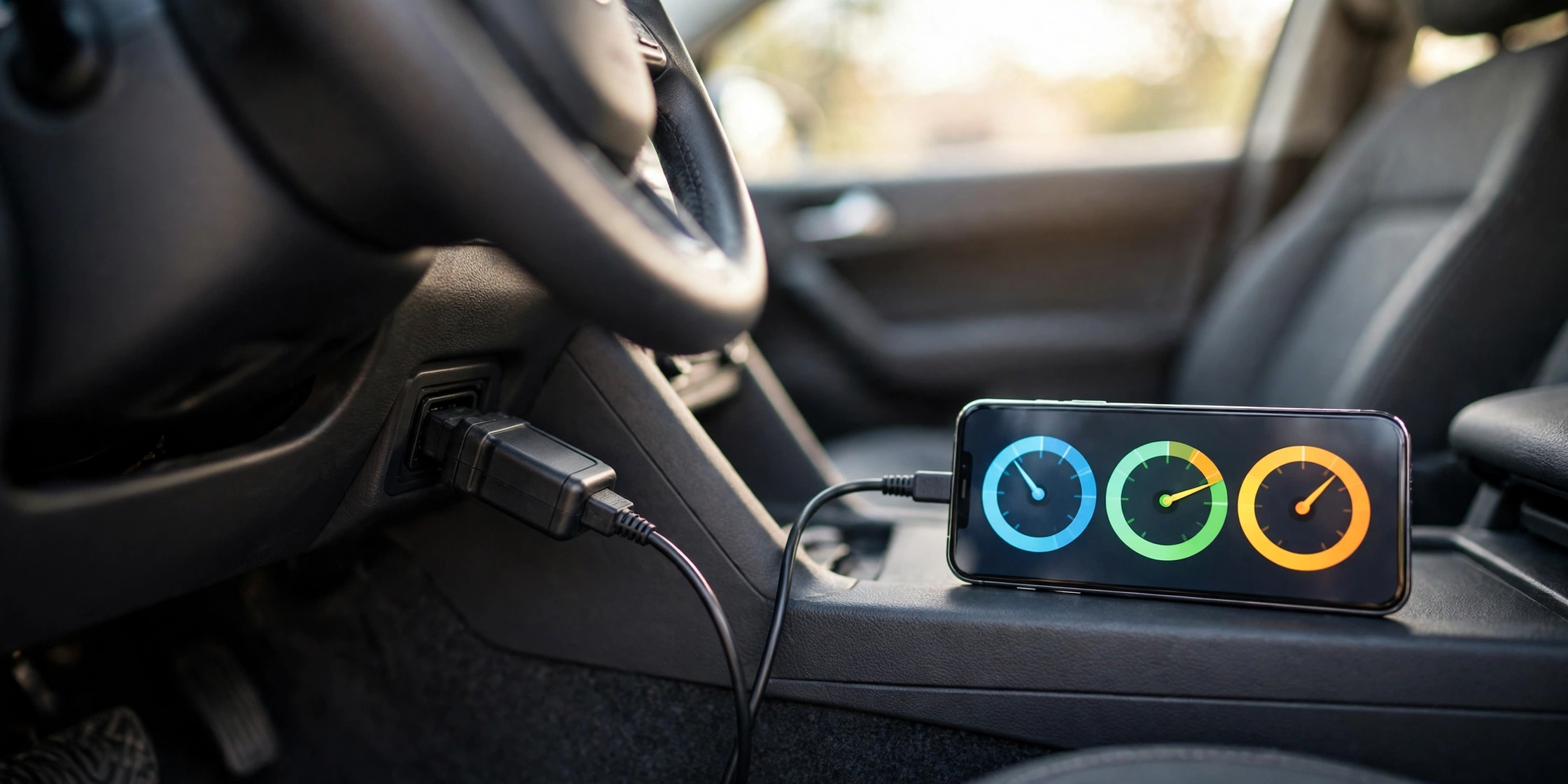
Every petrol car sold in the US since 1996 has an OBD2 port — a small 16-pin socket, usually under the dashboard on the driver's side, near the steering column. When your car's computer detects a fault, it stores a trouble code (something like P0300 for a misfire) and switches on the check engine light. An OBD2 scanner plugs into that port, reads the code, and tells you what it means in plain words. That is the whole job. A scanner does not fix your car, and clearing a code does not fix the fault — if the problem is still there, the light will come back, and that is your cue to see a mechanic.
What a scanner cannot do matters just as much. The cheapest readers only see engine and emissions codes. If your ABS light, airbag light or transmission warning is on, a basic reader will tell you nothing about it — you need a scanner that explicitly lists ABS, SRS (airbag) or transmission coverage for your make of car. None of the five picks here can command parts on and off (that is called bi-directional control, and it belongs to professional tools costing several hundred dollars). And no scanner works on a car older than 1996, or on a fully electric car, which uses a different diagnostic system. If you want the full first-use walkthrough, our guide to using an OBD2 scanner for the first time shows where the port is and how to read your first code in five minutes.
How to choose: the 60-second decision tree
Answer these three questions in order and the right pick chooses itself.
1. Do you want to use your phone, or a screen on the tool? Phone-based scanners (BlueDriver) give you the biggest, clearest display you already own, plus repair reports you can email to yourself or a mechanic. Handhelds (ANCEL, Foxwell, Autel) have their own screen, so there is no pairing, no app install and nothing to charge — plug in and read.
2. How many times a year will you use it? If the answer is "once, when a light comes on", buy the cheapest honest reader and stop there. If you drive an older car, or you like understanding what is happening under the bonnet, the extra live-data and graphing features of the Foxwell or the Autel AL519 earn their keep.
3. Which warning lights do you need it to read? Check-engine only? Any of the five will do. ABS or airbag lights too? Only the BlueDriver (on supported makes) reaches those systems among these five — the handhelds here are engine-only, and that limit is stated in every card below.
The subscription trap: check this before you buy
This is the cost most beginner roundups never mention. Some scanners are cheap to buy and expensive to own, because the app charges a yearly fee to unlock the features you actually want — live data, repair-cost estimates, or the full code library. Other scanners charge nothing after day one. Here is how the five picks compare on ongoing cost:
| Scanner | App or updates after purchase | Yearly fee? |
|---|---|---|
| BlueDriver Bluetooth Pro | Free app, no add-ons, no in-app purchases | No — ever |
| ANCEL AD310 | No app at all — the tool is the whole product | No |
| Foxwell NT301 | Lifetime free software updates via a Windows PC | No |
| Autel AL319 | No app at all — the tool is the whole product | No |
| Autel AL519 | Lifetime free software updates, no registration needed | No |
All five picks in this guide have no ongoing fee, which is exactly why they are here. But if you shop beyond this list, read the app description before you buy: a scanner whose free app only shows the code number and charges a yearly subscription for the plain-English explanation is not a bargain at any price. As a rule of thumb, rival phone-based scanners in this category charge around $99 a year for their premium tier — that is more than the BlueDriver costs once, for life.
The 5 best OBD2 scanners for beginners
1. BlueDriver Bluetooth Pro — Best overall
🏆 Best Overall
- Turns your iPhone or Android phone into a scan tool — plug the small sensor in, pair over Bluetooth, read the code
- Reads and clears engine, ABS, SRS (airbag), TPMS and transmission codes on supported makes — the widest coverage here
- Vehicle-specific Repair Reports explain the code, list possible causes and reported fixes, and can be emailed as a PDF
- Reads over 7,000 codes; free app with no subscription, no add-ons and no in-app purchases; 180-day money-back guarantee
Pros: the only pick here that reaches ABS and airbag codes; the repair report is genuinely useful for a beginner deciding whether to drive to a mechanic or not; no yearly fee, ever; over 1,000 bought in the past week on Amazon.
Cons: useless without a phone — if your phone is dead, so is the scanner; enhanced ABS/SRS coverage varies by make, so check your car on BlueDriver's compatibility page first; it is the priciest pick in this guide.
Best for: drivers who want the deepest diagnosis from their phone and never want to pay a subscription. Check Price on Amazon
2. ANCEL AD310 — Best budget
💰 Best Value
- Reads and clears engine and emissions codes on most 1996+ US cars (and 2000+ European and Asian cars)
- 2.4-inch screen with built-in code lookup — the definition appears on the screen, no phone needed
- Shows live data, freeze frame snapshots and I/M readiness for smog checks; powers straight from the OBD2 port, so no batteries
- Supports all five OBD2 protocols, so it works across domestic, Asian and European makes without switching modes
Pros: the simplest tool on this list, and that is the point — plug in, turn the ignition on, read the code; no app, no pairing, no account, no update step before first use; the cheapest honest way to answer "why is my check engine light on?"
Cons: engine and emissions codes only — it cannot read ABS, airbag or transmission faults, and the listing says so plainly; it cannot diagnose an engine fault that is unrelated to the emissions system; no live-data graphs, just numbers on a small screen.
Best for: first-time owners who want the cheapest possible answer to a check engine light and will never touch an app. Check Price on Amazon
3. Foxwell NT301 — Best handheld with a screen
📊 Best Live Data
- 2.8-inch colour screen that graphs live sensor data — you can watch a reading rise and fall instead of guessing from a number
- One-click I/M readiness check with red, yellow and green lights, so you know before a smog test whether the car will pass
- Runs oxygen-sensor and EVAP (fuel-vapour leak) tests where the car supports them; shows code definitions with a Help button for possible causes
- Lifetime free software updates via a Windows PC; one-year warranty
Pros: the best screen-and-graph combination at this price; the smog-readiness light is the single most useful feature if your state tests emissions; the graphing turns a code into a diagnosis instead of a guess.
Cons: engine only — no ABS, airbag, TPMS or battery-system scanning, and no special resets; software updates need a Windows computer; the cable is shorter than the ANCEL's, so the unit dangles more under the dash.
Best for: beginners who want to actually watch their engine's live data and know whether the car is smog-test ready. Check Price on Amazon
4. Autel AL319 — Best simple colour-screen reader
🎨 Easiest to Read
- 2.4-inch colour TFT display with a built-in speaker — it beeps when the scan is done, so you are not staring at the screen
- Reads and clears engine codes, shows live data and freeze frame, and retrieves manufacturer-specific codes as well as generic ones
- Patented one-click I/M readiness key for a quick emissions-readiness check and drive-cycle verification
- Works on most 1996 and newer OBD2 vehicles; no app, no pairing, no subscription
Pros: the easiest screen to read at a glance in this guide; the speaker and one-click smog check make it genuinely one-handed; a long-running budget favourite with a huge buyer base.
Cons: engine codes only — no ABS, airbag or transmission coverage; no live-data graphing like the Foxwell; the screen is smaller than the NT301's.
Best for: drivers who want the plainest possible handheld with a bright, readable colour screen. Check Price on Amazon
5. Autel AL519 — Best step-up
🔧 Best Step-Up
- Supports all ten OBD2 test modes — the complete diagnosis, not just code reading — including enhanced Mode 6 data
- Live data in text and graph form, plus a built-in DTC lookup library, so you rarely need to search a code on your phone
- One-click smog check; works on all 1996 and newer OBD2 and CAN vehicles, domestic and import
- Lifetime free software updates with no subscription or registration required; one-year warranty
Pros: the most capable handheld here by a clear margin — Mode 6 data is what a mechanic looks at, and this is the cheapest way for a beginner to see it; lifetime updates mean it does not go stale.
Cons: still engine-only — it does not read ABS or airbag codes, despite the deeper engine coverage; it cannot access OBD2 modules on Chrysler, Dodge and Jeep vehicles built after 2017 because of the FCA Secure Gateway system; more buttons and menus than a first-timer strictly needs.
Best for: owners of older cars, or curious beginners who want the deepest engine diagnosis a handheld can give. Check Price on Amazon
| Scanner | Phone or screen | Systems read | Live-data graphs | Yearly fee | Best for |
|---|---|---|---|---|---|
| BlueDriver Pro | Phone (Bluetooth) | Engine, ABS, SRS, TPMS, transmission* | Yes | None | Deepest diagnosis |
| ANCEL AD310 | 2.4" screen | Engine / emissions | No | None | Cheapest answer |
| Foxwell NT301 | 2.8" colour screen | Engine / emissions | Yes | None | Live data + smog check |
| Autel AL319 | 2.4" colour screen | Engine | No | None | Easiest to read |
| Autel AL519 | Screen | Engine (all 10 modes) | Yes | None | Deepest handheld |
* BlueDriver's ABS, SRS and transmission coverage depends on your car's make and model — check compatibility before buying.
How to use your first scanner (5 steps)
Your first scan takes about five minutes. The full walkthrough with photos of the port is in our guide to using an OBD2 scanner for the first time, but the short version is:
- Find the port. Look under the dashboard on the driver's side, near the steering column. It is a trapezoid-shaped 16-pin socket, usually within arm's reach of the driver's seat.
- Plug in with the ignition off, then turn the key to accessory. The scanner powers up from the car. On a handheld, the screen lights up; on the BlueDriver, open the app and pair over Bluetooth.
- Read the codes. Choose "Read Codes" and write the code down — for example P0300. Do not clear anything yet.
- Look the code up. Every pick here shows the definition on screen or in the app. A code is a starting point, not a verdict: P0300 means a misfire was detected, not which part failed.
- Decide: drive, monitor, or mechanic. A loose fuel cap code (P0455/P0456) is often a five-minute fix — tighten the cap and the light may clear itself after a few drives. A flashing check engine light, on the other hand, means stop driving and get help now: it signals a misfire that can damage the catalytic converter. Our guide to flashing vs solid check engine lights explains the difference, and what to do when the light is on but the car runs fine covers the grey area in between.
5 mistakes beginners make with an OBD2 scanner
- Clearing the code before writing it down. The code is the evidence. Clear it first and you have deleted the only clue — and the mechanic you end up visiting will have to wait for the fault to happen again.
- Treating the code as the diagnosis. A code names the system that reported a fault, not the broken part. P0171 (system too lean) can be a vacuum leak, a dirty sensor or a weak fuel pump. The scanner tells you where to look; it does not hand you the answer.
- Buying a scanner that cannot see the light that is on. If your ABS or airbag light is on and you buy an engine-only reader, you have bought a paperweight for that problem. Match the scanner's coverage to the light on your dash before you pay.
- Ignoring the subscription. A cheap Bluetooth adapter with a $99-a-year premium app costs more in year two than the BlueDriver costs once. Check the app's pricing page, not just the hardware price.
- Scanning with the engine running on a Bluetooth adapter. Pairing and reading are best done with the ignition on but the engine off for a first scan — and never leave a Bluetooth adapter plugged in for weeks if you do not drive daily, as some draw a small current even when the car is off.
Frequently asked questions
Do OBD2 scanners work on any car?
They work on almost every petrol car sold in the US since 1996, which is when OBD2 became mandatory, and on most 2000 and newer European and Asian cars. They do not work on pre-1996 cars, which use the older OBD1 system, or on fully electric cars. Hybrids generally work, since they still have a petrol engine and an OBD2 port.
Will a cheap OBD2 scanner damage my car?
No — reading codes is a read-only operation, and all five scanners here only draw a tiny amount of power from the port. The only real risk is clearing a code and then ignoring the underlying fault, which lets a small problem grow. Clearing a code never fixes anything; it just turns the light off until the car detects the fault again.
Can an OBD2 scanner tell me exactly what part to replace?
Not exactly. A scanner tells you which system reported a fault and, with live data, how the engine is behaving. It narrows the problem from "something is wrong" to "the misfire is on cylinder 2" or "the fuel mixture is lean". From there, a repair report (BlueDriver), live-data graphs (Foxwell, AL519) or a trusted mechanic takes you the rest of the way. See our guide on finding a trustworthy mechanic before you approve any repair a code suggests.
Do I need a subscription to use an OBD2 scanner?
Not with any of the five picks in this guide — the BlueDriver app is free forever, the Foxwell and Autel AL519 include lifetime free updates, and the ANCEL and Autel AL319 have no app at all. But some rival Bluetooth scanners do charge a yearly premium fee for the full code library and repair estimates, so always check the app pricing before you buy a scanner that is not on this list.
Is the BlueDriver worth it over a cheap handheld?
Yes, if you want ABS and airbag codes, repair reports in plain English, or a tool you will use for years across more than one car. No, if your only question is "why is my check engine light on?" and you will use it once or twice a year — the ANCEL AD310 answers that question for a fraction of the price, with no phone involved.
Verdict
For most first-time car owners, the choice is between the BlueDriver and the ANCEL AD310, and the deciding question is simple: do you want your phone involved? If you are comfortable with an app and want the deepest answer — including ABS and airbag codes, repair reports and a tool that never charges a subscription — buy the BlueDriver once and be done. If you want the cheapest honest answer with no phone, no app and no learning curve, the ANCEL AD310 is the pick. The Foxwell NT301 is the sweet spot for drivers who like watching live data and need a smog-readiness check; the Autel AL319 is the easiest handheld to read; and the Autel AL519 is the one to buy if you own an older car and want the deepest engine diagnosis a handheld can give. Whichever you choose, pair it with a portable jump starter in the trunk — together they cover the two roadside problems a beginner is most likely to face alone.
Sources: BlueDriver, ANCEL, Foxwell and Autel product listings on Amazon (ASINs B00652G4TS, B01G5EA74I, B00UJV3E12, B007XE8C74, B07PQH6HSQ); AutoCostGuides best OBD2 scanners 2026; Ezvid Wiki best OBD2 scanners 2026; DriveScored Foxwell NT301 listing data (Nov 16, 2026). Ratings are the Amazon listing averages at the time of writing and change over time.