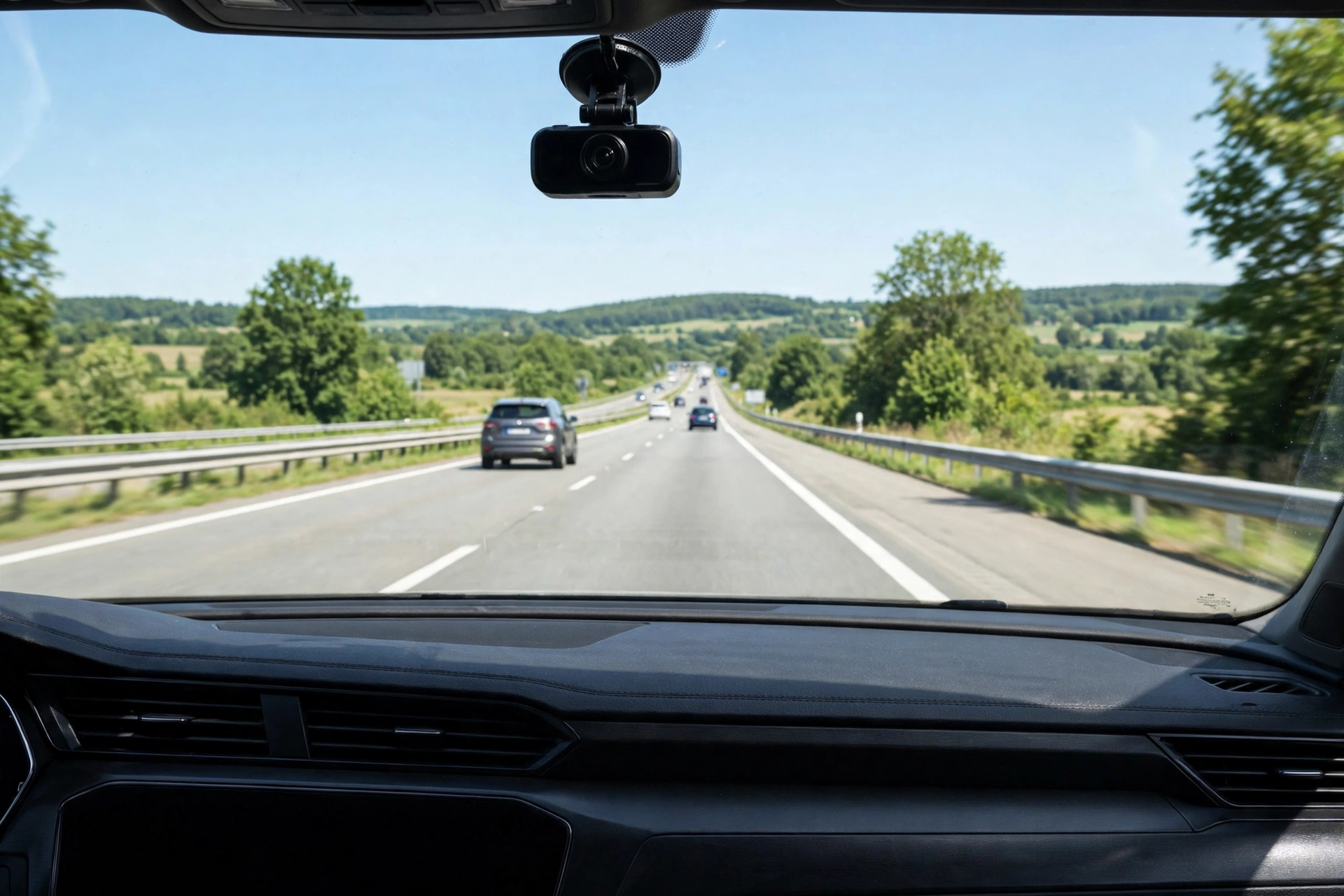
Here's a scenario every new driver dreads: you did everything right, but after a fender-bender the other driver tells a completely different story — and it's your word against theirs. A dash cam fixes that. It's a small camera that sits on your windshield, records the road continuously, and quietly saves the footage when something goes wrong.
But shopping for one is confusing. Front-only or front-and-rear? Is 4K worth it? What's "parking mode"? This guide cuts through the jargon and shows you exactly what to look for — and which three beginner-friendly dash cams are worth shortlisting.
- Best all-round beginner pick: ROVE R2-4K Dual — front + rear coverage, night-friendly sensor, card in the box.
- Most discreet: Garmin Dash Cam Mini 2 — tiny, voice-controlled, nearly invisible on the windshield.
- Best for rideshare or teen drivers: Vantrue N4 — adds a cabin camera with infrared night vision.
1. First decision: how many cameras do you need?
A "channel" is just one camera. Most dash cams come in three layouts:
- Front only. Films the road ahead — red-light runners, lane cutters, sudden stops. Cheapest and fastest to install. Fine for a tight budget.
- Front + rear. Adds a second camera on the rear windshield. If someone rear-ends you, the front camera sees almost nothing useful; the rear camera sees everything. For most drivers, this is the sweet spot.
- Front + cabin + rear. Adds a lens aimed inside the car, usually with infrared LEDs so it sees faces in the dark. Made for rideshare drivers, parents of teen drivers, or anyone who wants full coverage.
My recommendation for beginners: if the price gap is small, get front + rear. Rear-end collisions are among the most common claims, and that second camera is the one that proves it wasn't your fault.
2. Resolution and night vision: the sensor matters more than the number
You'll see 1080p, 1440p and 4K on the boxes. Higher resolution helps — a sharper image reads license plates from further away. But a big number alone doesn't guarantee clear footage. The image sensor and lens aperture matter more, especially at night.
- Sensor: look for a named sensor like Sony STARVIS or STARVIS 2, which are designed for low light. If the listing doesn't name the sensor, that's a warning sign.
- Aperture: written as an "F" number — F1.5 lets in more light than F1.8. Lower is better for night driving.
- 1080p is genuinely fine for proving fault in most situations. 4K is nicer for plates at distance, but don't pay double for it if everything else is weak.
3. Parking mode, GPS, WiFi and screen: features worth paying for
These extras separate a frustrating dash cam from a great one:
- Parking mode: records when the car is off — catches hit-and-runs and break-in attempts. Important catch: it needs constant power, usually a hardwire kit (sold separately) with a low-voltage cutoff that protects your car battery. A camera plugged into the 12V socket turns off with the ignition in most cars.
- GPS: stamps your speed and location on the footage — useful evidence. Many budget cameras skip it; check before you buy.
- WiFi/app: lets you view and download clips on your phone without pulling out the memory card. Read the app's recent reviews before buying — a great camera with a broken app is miserable to live with.
- Screen: makes setup and aiming easy. Screenless cameras are smaller and cleaner-looking, but you set everything up through your phone.
- Power source: a supercapacitor handles heat better than a lithium battery — worth checking if your car bakes in summer.
4. The memory-card mistake almost every beginner makes
Most dash cams do not include a memory card. They record in a loop, overwriting the oldest video when the card fills up. Two rules:
- Buy a card made for continuous recording: Class 10 / U3 / V30 rating. Stick with endurance-rated cards (Samsung High Endurance, SanDisk High Endurance, Lexar) — generic cards fail faster in dash cams.
- 64GB is the minimum for 1080p; 128GB for front-and-rear or higher-resolution setups. Format the card in the camera when you first install it, and re-format every couple of months.
5. Three beginner-friendly dash cams worth shortlisting
These are the three I'd compare first — one for each common beginner situation. All are established models with large numbers of verified buyer reviews, so you're not gambling on an unknown brand.
ROVE R2-4K Dual Dash Cam
- Front camera records at 2.5K upscaled to 4K (150° view); rear camera at 1080p (140° view)
- Sony STARVIS 2 sensor with F1.5 aperture for stronger night footage
- Built-in GPS stamps speed and location; 5.8GHz WiFi moves clips to your phone fast
- Free 128GB microSD card included in the box — no separate card purchase
Pros: front + rear coverage out of the box; supercapacitor instead of a battery (better in heat); 3" screen makes setup easy; card included saves a trip to the store.
Cons: parking mode needs a hardwire kit bought separately; the 3" screen unit is more visible on the windshield than key-sized cameras; the "4K" is upscaled from 2.5K, not native 4K.
Best for: new drivers who want front-and-rear protection and an easy first setup.
Garmin Dash Cam Mini 2
- About the size of a car key and weighs ~1 oz — hides behind the rearview mirror
- 1080p recording with a wide 140° lens and HDR optics
- Voice control ("OK Garmin, save video") so you keep hands on the wheel
- Parking Guard + Live View alerts you about your parked car (needs constant power and WiFi)
Pros: practically invisible once mounted; excellent voice control; dual USB charger included gives you an extra charging port; reliable incident auto-save.
Cons: no GPS (no speed/location stamping); no screen — setup happens through the phone app; 1080p only, night footage is average; memory card not included.
Best for: drivers who want a set-it-and-forget-it camera that doesn't clutter the windshield.
Vantrue N4 3-Channel Dash Cam
- Three cameras at once: front (1440p), cabin (1440p), rear (1080p) — or 4K front-only mode
- Infrared LEDs let the cabin camera see faces in complete darkness
- Built-in GPS and three parking-mode options for overnight protection
- 18-month warranty and supercapacitor power for extreme temperatures
Pros: the only pick here that films the cabin — essential for rideshare; flexible recording modes; solid warranty; handles hot and cold weather well.
Cons: no WiFi — clips come off via the memory card; three cameras mean more cables to route; a bulkier unit than the other two; newer 4K models exist if you want the latest sensor.
Best for: rideshare drivers, parents of teen drivers, or anyone who wants eyes inside and outside the car.
Side-by-side comparison
| Dash cam | Channels | Front resolution | GPS | WiFi | Screen | Memory card |
|---|---|---|---|---|---|---|
| ROVE R2-4K Dual | 2 (front + rear) | 4K (upscaled) | Yes | Yes (5.8GHz) | 3" IPS | 128GB included |
| Garmin Mini 2 | 1 (front) | 1080p | No | Yes | No | Not included |
| Vantrue N4 | 3 (front + cabin + rear) | 1440p (4K front-only) | Yes | No | Yes | Not included |
Quick installation and legal checklist
- Mount the camera inside the wiper sweep, high on the windshield — snow and spray on the glass in front of the lens blur everything.
- Plug into the 12V socket for a 15-minute install. Get a hardwire kit (or an installer) only if you want parking mode.
- Clean the inside of the windshield first — the haze that builds up there degrades night footage.
- Check your local laws: windshield-mount rules and audio-recording consent vary by state and country. In many places you must mount the camera where it doesn't block your view, and recording cabin audio can have consent requirements. When in doubt, turn cabin audio off.
Verdict
For most first-time car owners, the ROVE R2-4K Dual is the easiest confident choice: front-and-rear coverage, GPS, a card in the box and a night-capable sensor. If you hate clutter on your windshield, the Garmin Mini 2 disappears behind the mirror and still saves incident clips automatically. And if you drive rideshare or share the car with a teen, the Vantrue N4 is the only pick here that watches the cabin too. If you want a ready-made ranking instead of choosing by features, see our best dash cams for first-time drivers roundup — and for a deep dive on the ROVE, read our ROVE R2-4K guide. For more buyer's picks, browse Driver's Picks.
FAQs
Do I need a front+rear dash cam, or is front-only enough?
Front-only covers the most common scenarios (what happened ahead of you). But for rear-end collisions — one of the most common claims — only a rear camera captures useful footage. If the price gap is small, front + rear is worth it.
Is 4K worth it over 1080p for a dash cam?
4K helps read license plates from further away, but the image sensor and lens matter more than the resolution number. A good 1080p camera with a named low-light sensor beats a cheap "4K" camera. Don't pay double for 4K if the rest of the camera is weak.
Will a dash cam drain my car battery?
Not when you drive — it draws a tiny amount of power from the 12V socket. Parking mode is the exception: because the camera stays on with the engine off, it needs a hardwire kit with a low-voltage cutoff that shuts it down before it can drain the battery.
Do I need to buy a memory card separately?
Usually, yes. Most dash cams ship without one. Get an endurance-rated card (Class 10 / U3 / V30) — 64GB minimum for 1080p, 128GB for front-and-rear setups — and format it in the camera before first use.
Are dash cams legal?
Generally yes in most of the US and many other countries, but rules vary: some places restrict where you can mount anything on the windshield, and recording audio inside the car can have consent requirements. Check your state or country's rules before you install.
Sources
Feature guidance for this guide draws on Vigiroad's practical 2026 dash cam buyer's guide and Nexar's first-time buyer guide; product specifications and buyer ratings are from the manufacturers' listings and verified Amazon buyer reviews.