A first car teaches you one lesson fast: your word against someone else's is not much of a defence after a bump. A dash cam changes that — but most beginner guides push whichever camera pays best, and the Vantrue N4 is where that gets confusing. There are now three cameras with almost the same name, and the one in this review is the original N4: three channels, one windshield mount, and a price that has dropped a long way since launch. Here is what it actually records, where it shows its age, and who should buy it — or skip it.
Affiliate disclosure: FirstCarCare.com earns a commission if you buy through the links in this article, at no extra cost to you. It keeps the site free and never changes what we recommend. We never claim to have tested products we have not, and every rating below is attributed to its source.
Quick verdict
- Best 3-channel value: Vantrue N4 — front, cabin and rear recording in one box, infrared cabin night vision, supercapacitor instead of a battery. Best for rideshare drivers and new drivers who want every angle covered.
- Best if you want Wi-Fi: ROVE R2-4K Dual — 4K front + 1080p rear, 5 GHz Wi-Fi and GPS, and a 128 GB card in the box. Best if phone transfers matter more than a third camera.
- Best tiny and discreet: Garmin Dash Cam Mini 2 — 1080p, a 140-degree view and voice control in a camera smaller than a car key. Best if you want a dash cam you never notice.
What the Vantrue N4 actually is
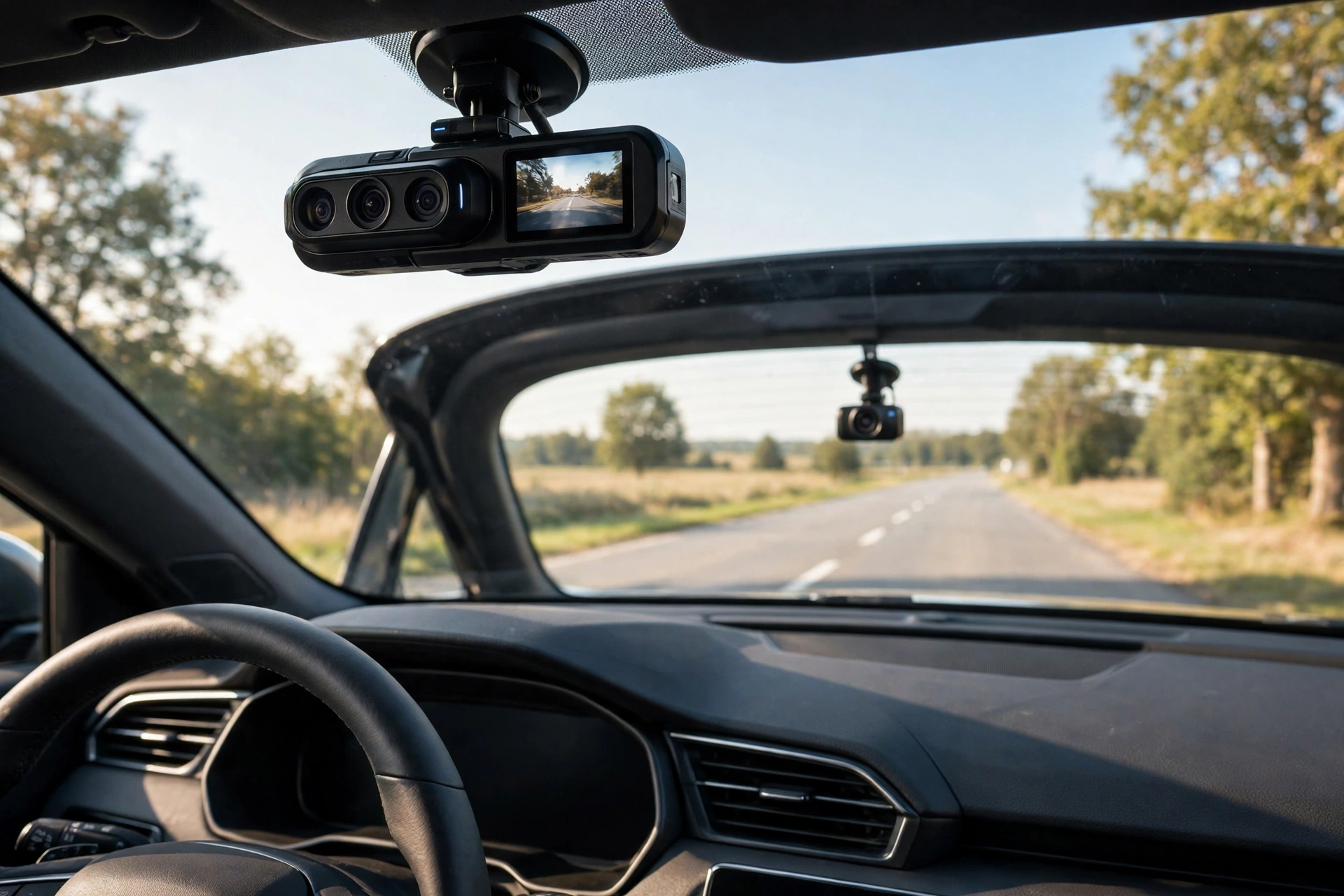
The N4 is a three-channel dash cam. That means three lenses recording at the same time: one facing the road ahead, one facing the cabin, and a small separate camera that mounts on the rear window and faces the traffic behind you. Each camera saves its own video file, and you can watch all three on the 2.45-inch screen on the front unit.
The resolution is the first thing to get straight, because the box says 4K and the truth is more specific. With all three channels running, the maximum setting is 1440p front + 1080p cabin + 1080p rear at 30 frames per second. The front camera only reaches 4K when you run two channels — front plus rear, or front plus cabin. So buy the N4 for its three angles, not for triple 4K. In practice, 1440p up front is still sharp enough to read a plate in daylight, and owners on Vantrue's own review pages report reading plates from both the front and rear cameras.
Inside, the cabin camera uses four infrared LEDs, so it records passengers in black and white even in complete darkness — the feature that made this camera a rideshare favourite. The front sensor is a Sony STARVIS unit with wide dynamic range, which is why the night footage holds up better than the price suggests. And instead of a lithium battery, the N4 uses a supercapacitor. That matters more than it sounds: batteries swell and die in a hot parked car, while a supercapacitor tolerates heat and cold far better and lasts longer. Owners in hot climates specifically call this out as the reason they picked it.
Warning: do not buy the wrong N4
This is the single most useful section of this review. Vantrue now sells three cameras with nearly identical names, and search results mix them up constantly — most "N4 review" pages you find today are actually reviewing the newer models.
- Vantrue N4 (this review): 1440p front + 1080p cabin + 1080p rear with all three channels on; 4K front only in two-channel mode; no Wi-Fi, no app, no built-in GPS; supports cards up to 256 GB. ASIN B083V6K8RH.
- Vantrue N4 Pro: 4K front + 1080p cabin + 1080p rear with all three channels on; Sony STARVIS 2 sensor up front; 5 GHz Wi-Fi, GPS and voice control; supports cards up to 512 GB.
- Vantrue N4 Pro S: 4K front + 1080p cabin + 2.5K rear; a Sony STARVIS 2 sensor behind every lens; supports cards up to 1 TB.
Before you buy, check the model name in the listing title and the ASIN. If the listing says "Pro" anywhere, it is not this camera — and it costs more. The N4 Pro earned a 4.5 out of 5 from Tom's Guide and a Top Pick badge from TechGearLab, but those scores belong to the Pro, not to the original N4 reviewed here. Mixing them up is how buyers end up disappointed in either direction.
What the N4 does well
Three angles, one mount
Most dash cams watch the road ahead. The N4 also watches the cabin and the road behind, which covers the two scenarios beginners worry about most: a passenger dispute and a rear-end shunt where the other driver claims you reversed into them. One box on the windshield plus one small rear camera does the whole job, and the rear camera's cable is long enough for most sedans and hatchbacks.
Cabin night vision that actually works
Four infrared LEDs sound like a spec-sheet line, but for rideshare and late-night driving it is the whole point. The cabin stays visible in the dark without a visible flash that distracts passengers, and the wide cabin lens catches more than the seats — owners note it picks up side-window activity too, so a door ding gets recorded as well.
Built for hot cars
The supercapacitor is the N4's quiet advantage. A lithium battery in a dash cam sits behind glass in direct sun, and heat is what kills it. The capacitor handles temperature extremes far better, which is why this camera keeps working in cars where battery-powered rivals swell or shut down. It only holds enough charge to save the last file when power cuts out — it is not a battery, so it will not record with the car off — but for a camera that lives on a windshield, that trade is the right one.
No subscription, no monthly fee
Everything is stored locally on your memory card. There is no cloud plan to buy, no app subscription, and no feature locked behind an account. That is also why the camera is cheaper to own over two or three years than cloud-connected rivals.
A rating earned over years
The N4 carries a 4.2 out of 5 from about 9,100 Amazon ratings, per Amazon product information, and pricehistory.app lists an 8.2 out of 10 average across about 6,900 ratings for this exact listing. Those are not launch-week numbers — this camera has been on sale for years, and the rating has survived thousands of real owners. For a beginner, a long track record like that is worth more than a glowing review of a camera that launched last month.
Where the N4 shows its age
No Wi-Fi, no app
This is the honest deal-breaker for some buyers. The original N4 has no built-in Wi-Fi and no smartphone app, so there is no way to pull a clip to your phone at the roadside. You either watch it on the small screen or take the card out and read it on a computer. If you imagine yourself needing to show footage to police or another driver on the spot, that friction matters — and it is the main reason to consider the ROVE or the N4 Pro instead.
No built-in GPS
There is no GPS logging speed and location into the video, which some insurers and fleets like to see. The footage still proves what happened, but it will not stamp your speed onto the file. Beginners rarely need GPS evidence, but know it is missing before you buy.
256 GB card limit
Cards up to 256 GB are supported. Three channels eat storage fast, so a 256 GB high-endurance card is the right buy — and high-endurance matters, because a regular card wears out under constant rewriting. Budget for the card as part of the purchase, and format it in the camera before first use.
It takes up windshield space
Three lenses and a screen make for a wide unit. It sits in the top centre of the windshield, and on a small car it is noticeable from the driver's seat. Mount it high, behind the rear-view mirror, and it stays out of your line of sight — but if you drive a compact car with a short windshield, check the fit before you commit.
Parking mode costs extra — and the G-sensor can be eager
Parking mode needs a hardwire kit, sold separately, wired into the fuse box. Without it, the camera stops when the ignition goes off. Owners also report the G-sensor locking files on rough roads even at its lowest setting, which fills the card with protected clips you have to clear. Set the sensitivity low and check locked files monthly.
Parking mode, honestly explained
Parking mode is the N4's most misunderstood feature, so here is the plain version. The camera can watch your car while it is parked — recording on motion or impact, with the seconds before the event saved too — but only if it has power with the ignition off. That means a hardwire kit connected to the fuse box, which is an extra purchase and a fuse-box job. If you are not comfortable with fuse taps, a car-accessory shop can fit one quickly, but do not count on 24-hour protection until it is installed.
Once wired in, the kit's low-voltage cut-off protects your car battery, and the camera's motion and impact detection lock the important clips so loop recording cannot overwrite them. For a full guide to how parking mode works and when it is worth paying for, read our dash cam parking mode guide.
Setting it up in about 15 minutes
- Pick the spot. Top centre of the windshield, behind the rear-view mirror, where the wipers clear the glass. Sit in the driver's seat and confirm it does not block your view.
- Mount the front unit. Clean the glass with the included wipe, press the suction mount firmly, and lock it. Give it a tug — a mount that fails on the first hot day is a mount that was never seated properly.
- Mount the rear camera. Stick it to the inside of the rear window, centred, and run the cable along the headliner and door seals so it is hidden. Leave a little slack at the tailgate hinge.
- Insert a high-endurance card. Up to 256 GB, U3 speed class, labelled high-endurance. Format it in the camera's menu before first use, not on your computer.
- Set the basics. Date and time first — wrong timestamps weaken footage as evidence. Then loop recording on, G-sensor on low, and resolution on the highest three-channel setting.
- Test before you drive. Record a minute, play it back on the screen, and check all three views. Then drive around the block and check the plate readability on your computer at home.
For the wider decision — which features actually matter before you spend anything — read how to choose a dash cam for your first car.
#1 — Best 3-channel value
Vantrue N4 3-Channel Dash Cam
- Three channels at once: 1440p front + 1080p cabin + 1080p rear
- 4K front recording in two-channel mode
- Four infrared LEDs for cabin night vision
- Supercapacitor instead of a battery — built for hot windshields
Pros: every angle covered from one mount; cabin night vision is genuinely useful for rideshare; supercapacitor lasts longer than a battery in heat; no subscription or monthly fee; years of owner ratings behind it.
Cons: no Wi-Fi or phone app — footage comes off the card; no built-in GPS; parking mode needs a separately sold hardwire kit; 256 GB card limit; wide unit on a small windshield.
Best for: rideshare drivers and new drivers who want front, cabin and rear evidence without paying for the newer Pro models.
#2 — Best if you want Wi-Fi
ROVE R2-4K Dual Dash Cam
- 4K front + 1080p rear, Sony STARVIS 2 sensor up front
- 5 GHz Wi-Fi with fast phone transfers, plus GPS
- 128 GB card included in the box; 3-inch screen
- Supercapacitor; three parking modes (hardwire kit sold separately)
Pros: phone transfers in seconds, no card removal; GPS stamps speed and location; card in the box; honest note — the 4K front is upscaled from a 2.5K sensor, per independent reviewers.
Cons: only two channels — no cabin camera, so it is a weaker rideshare pick; hardwire kit still extra for parking mode.
Best for: beginners who want quick phone access to clips and do not carry passengers for work.
#3 — Best tiny and discreet
Garmin Dash Cam Mini 2
- 1080p recording with a wide 140-degree view
- Smaller than a car key — hides behind the rear-view mirror
- Voice control and Wi-Fi through the Garmin Drive app
- Parking mode available with a separately sold cable
Pros: practically invisible once fitted; voice control means no fumbling with buttons; Wi-Fi transfers to your phone; Garmin's app is polished.
Cons: front view only — no cabin or rear camera; 1080p cannot read plates as far away as the Vantrue or ROVE; no screen, so setup needs the phone.
Best for: drivers who want a fit-and-forget camera and hate clutter on the windshield.
Vantrue N4 vs ROVE R2-4K vs Garmin Mini 2
| Feature | Vantrue N4 | ROVE R2-4K Dual | Garmin Mini 2 |
|---|---|---|---|
| Channels | 3 — front, cabin, rear | 2 — front, rear | 1 — front |
| Front resolution | 1440p (3-ch) / 4K (2-ch) | 4K (upscaled from 2.5K) | 1080p |
| Cabin camera | Yes, 1080p + IR LEDs | No | No |
| Wi-Fi / app | No | Yes, 5 GHz | Yes |
| GPS | No | Yes | Yes (via app) |
| Power design | Supercapacitor | Supercapacitor | Capacitor |
| Max card | 256 GB | 512 GB | 512 GB |
| Best for | Rideshare, full coverage | Phone transfers, 4K front | Discreet, fit-and-forget |
5 mistakes beginners make with the N4
- Buying the wrong model. "N4", "N4 Pro" and "N4 Pro S" are three different cameras. Check the listing title and ASIN B083V6K8RH before you pay.
- Using a regular memory card. Dash cams rewrite constantly. A standard card wears out in months; a high-endurance card is built for it. Format it in the camera.
- Expecting parking mode for free. It needs a hardwire kit and a fuse-box connection. Without the kit, the camera sleeps when the car does.
- Mounting it too low. A low mount puts the camera in your eyeline and in the wipers' uncleared zone. High and central, behind the mirror.
- Never checking locked files. The G-sensor locks clips on bumps and potholes. Clear the locked folder monthly or the card fills up and loop recording stops.
Frequently asked questions
Does the Vantrue N4 record in 4K with all three cameras on?
No. The front camera records 4K only in two-channel mode. With all three channels running, the maximum is 1440p front + 1080p cabin + 1080p rear at 30fps. Buy it for the three angles, not for triple 4K.
Does the Vantrue N4 have Wi-Fi or a phone app?
No. The original N4 has no built-in Wi-Fi and no smartphone app. Review footage on its 2.45-inch screen or by reading the microSD card on a computer. If phone transfers matter, the ROVE R2-4K or the newer Vantrue N4 Pro are better picks.
Does parking mode work out of the box?
No. Parking mode needs a hardwire kit, sold separately, wired to the fuse box. Without it, the camera stops when you turn the car off. Budget for the kit before counting on 24-hour protection.
What memory card does the Vantrue N4 need?
A high-endurance microSD card up to 256 GB, U3 speed class. Format it in the camera before first use. Some bundles include a card — check the listing so you do not buy a second one by mistake.
Is the Vantrue N4 good for rideshare drivers?
Yes — that is its strongest use case. The infrared cabin camera records passengers clearly at night, and the rear camera covers the car behind you. Check local rules on recording passengers and audio, and let riders know a camera is running.
Verdict: still worth it in 2026?
Yes — for the right buyer. If you drive passengers, park on the street, or simply want every angle covered without paying Pro-model money, the original N4 remains the cheapest honest way to get three channels, infrared cabin recording and a supercapacitor in one box. Its 4.2 out of 5 from about 9,100 Amazon ratings is a track record, not a launch-week spike.
Skip it if phone transfers are non-negotiable, or if you need GPS-stamped footage. In that case the ROVE R2-4K gives you Wi-Fi, GPS and a 4K front view for a similar outlay, and the Garmin Mini 2 is the pick if you would rather forget the camera is there. And if you drive a small car, measure the windshield space first — the N4 is a wide unit.
Whichever you choose, pair it with a high-endurance card and set the date and time before your first drive. A dash cam only helps if the footage is there when you need it — and after a bump is the wrong time to discover the card was never formatted. For the rest of your first-car safety kit, see our portable jump starter guide and our mirror setup guide — the cheapest safety upgrades a new driver can make.
Sources: Vantrue N4 specifications and owner reviews via Welmb's N4 review and Vantrue's own owner-review pages; N4 Pro recognition (Tom's Guide 4.5/5, TechGearLab Top Pick) via the Dash Cam Guys' N4 Pro review; N4 rating figures via Amazon product information and pricehistory.app for ASIN B083V6K8RH. Ratings are attributed to their sources, not our own testing.